

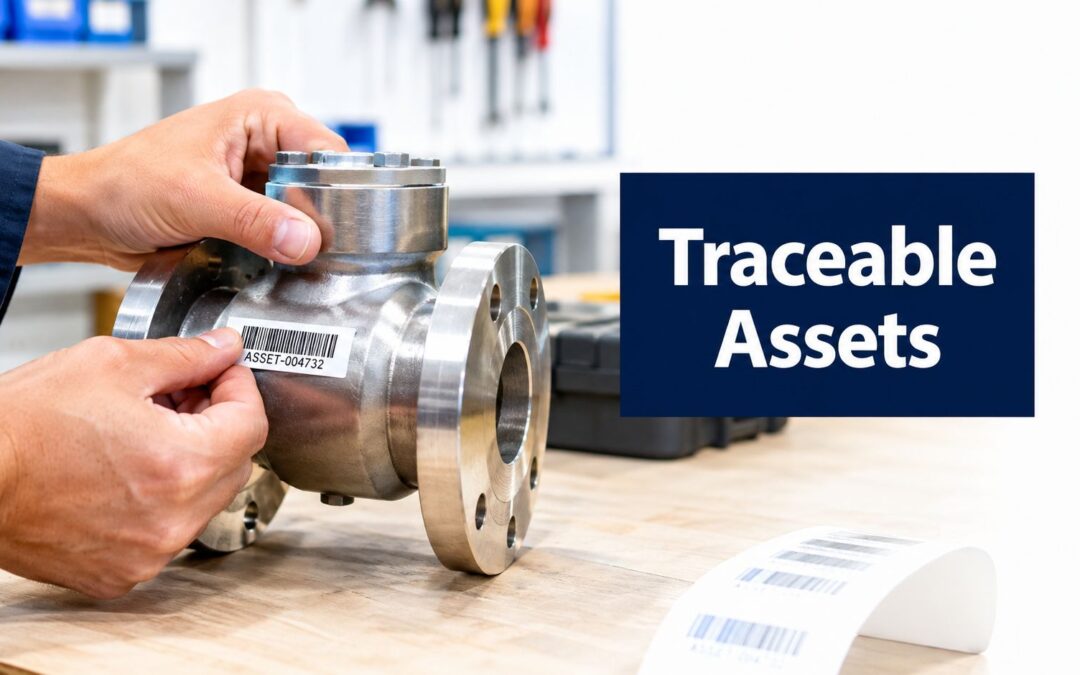
An auditor arrives, asks for the maintenance history of a pump, and the technician walks to the equipment only to find a faded label with half a number missing. The register shows a different location, the CMMS contains two similar descriptions, and nobody can confirm which record belongs to the asset in front of them. That isn't a sticker problem. It's a traceability failure.
Good asset tagging connects one physical item to one reliable digital record throughout its working life. The tag must remain identifiable, the asset register and CMMS must stay aligned, and the information on the label must suit the conditions where people will use it. Australian guidance from the University of Sydney asset identification and labelling standard treats systematic identification, recording and labelling as part of strategic asset management, not as an afterthought.
The practical asset tagging best practices below focus on the details that determine whether a programme survives real work: stable IDs, disciplined replacement rules, durable materials, correct placement and dependable CMMS linkage.
Why Asset Tagging Fails Without Consistent Identification
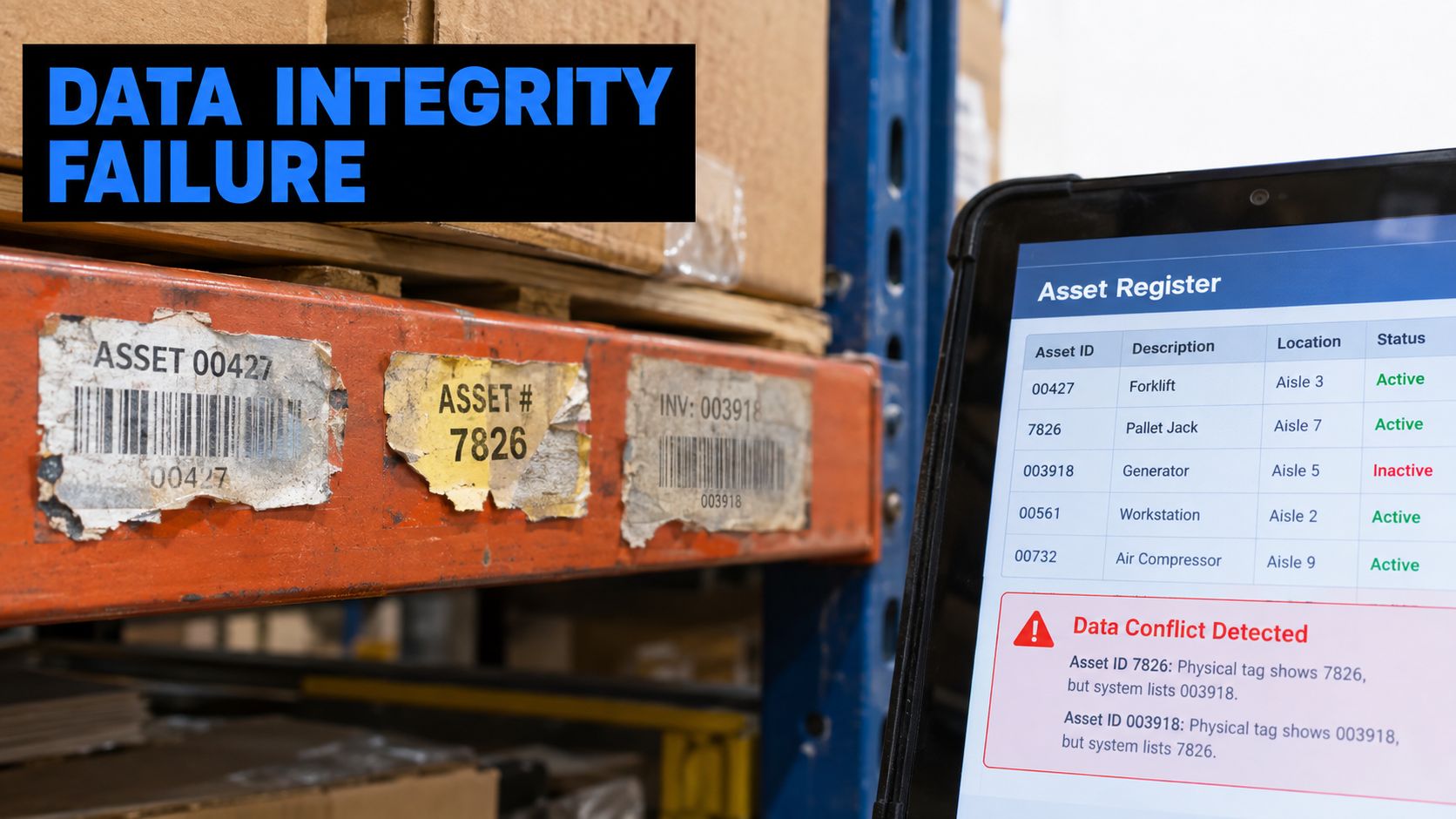
An asset register can look tidy on a screen while the workshop tells a different story. One generator may carry a manufacturer serial number, a local nickname and an old site code, while its CMMS record uses another identifier. During an audit, every discrepancy creates a question. During maintenance, it creates hesitation, manual searching and the risk of recording work against the wrong item.
The remedy starts with a simple rule. Assign one unique identifier to every maintainable item, then keep that identifier consistent across the physical label, asset register and CMMS. The University of Sydney standard describes a systematic process for identifying, recording and labelling new, existing and refurbished assets, with the information documented in the CMMS to support asset management planning. This equipment tagging procedure gives operations teams a practical reference for turning that principle into a controlled process.
The label should identify, not explain everything
A common mistake is trying to print the full asset history on the tag. Teams add the department, custodian, purchase information, warranty details, location, service dates and equipment description until the label becomes crowded and difficult to read. Those fields also change, which means the physical label becomes outdated even though the asset remains the same.
The stronger approach is to keep the on-label payload minimal:
- Asset ID: The stable primary identifier.
- Short site or location code: Useful for quick visual confirmation, provided it isn't treated as the permanent identity.
- Scan code: A QR code, barcode or another approved machine-readable format.
Store the richer information in the master record. That includes the serial number, custodian, status, warranty, maintenance history and disposal classification. Keeping changeable data in the system reduces clutter and lowers the chance of a mismatch during an audit, as described in this Australian asset-tagging template guidance.
Practical rule: The tag should survive changes to ownership, location and maintenance status. The database should carry the detail that changes.
Consistency matters more than clever coding
A short, predictable identifier is easier for a technician to read, easier for a CMMS to search and easier for a replacement label to reproduce. A stable ID also prevents the physical asset from becoming detached from its maintenance history when it moves between sites or returns from refurbishment.
Urban Utilities' infrastructure guidance reflects the same control by allocating a unique tag to each package, infrastructure item, building, enclosure, maintainable equipment item or location. The lesson is straightforward. If two physical things can be maintained or managed separately, they need a clear way to be distinguished separately.
How to Design a Numbering Scheme That Lasts
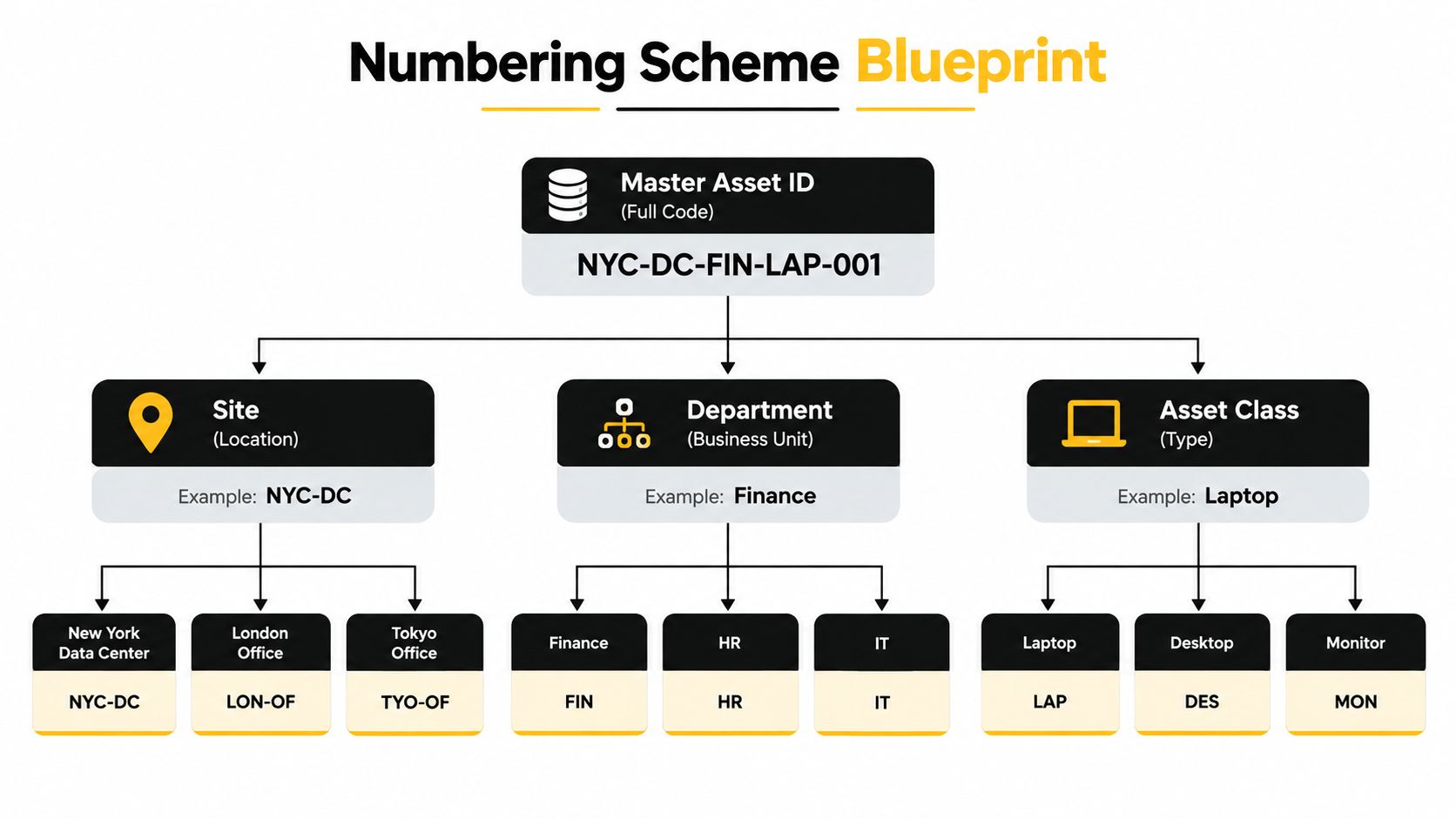
A numbering scheme should remain useful when equipment moves, changes custodian, returns from repair or is transferred to another site. Location can help people orient themselves, but it shouldn't be embedded in the primary ID. If an asset moves from a workshop to a remote facility, changing the core identifier forces the organisation to manage a new identity for the same physical item.
Start with a master sequence or another controlled unique structure. Use letters and numbers that are easy to read, type and scan, and avoid unnecessary punctuation or long descriptive strings. The label should present the identifier clearly, while the asset register holds the fields that provide context.
Build the scheme around a permanent identity
Use the following design decisions before ordering labels:
- Define the asset boundary. Decide whether the tag belongs to a complete maintainable unit, a package, a location or another managed object. Apply the rule consistently.
- Create a unique ID. No two maintainable items should share it. A category prefix can assist recognition, but it must not replace uniqueness.
- Keep location as a separate field. Record the current site, area and custodian in the CMMS, not as the identity itself.
- Never recycle an ID. When an asset is retired, close or archive its record according to your system rules, but don't issue the same ID to a new asset.
- Store the manufacturer serial number separately. It's valuable for warranty, procurement and service records, but it often varies in length and format across suppliers.
- Test the printed form. The ID must remain readable at the intended label size, with enough clear space around the scan code for dependable reading.
GS1 Australia identifies the GIAI, or Global Individual Asset Identifier, as a formal standard for unique asset identification and notes compatibility with ISO/IEC 15459-4 and -5. That reinforces the underlying principle: one stable identifier forms the backbone, while the surrounding business data belongs in connected systems.
The on-label layout can stay deliberately restrained. A practical arrangement is a prominent Asset ID, a short site or location reference for human checking, and a QR or barcode that opens the relevant record. Don't encode every attribute into the ID itself. A code that includes site, department, purchase period and asset class may look informative at first, but it becomes misleading when any of those attributes changes.
Make governance part of the numbering design
The scheme isn't finished when the first label is printed. Write down how staff handle a move, repair, label replacement and retirement. When equipment changes location, update the CMMS location field while keeping the same tag. When a label is damaged, issue a replacement carrying the existing ID and verify the record before applying it.
A refurbished asset needs a decision too. If it remains the same maintainable item, retain its identifier and preserve its history. If the organisation creates a new managed asset, create a new record and a new ID, then document the relationship between the old and new records.
The video below can help teams think through the practical relationship between physical identification and system-controlled asset information.
Use this equipment tag number guidance when converting the agreed scheme into a repeatable label format. The important outcome is not a clever code. It's a code that remains attached to the right asset and understood by every person who receives, maintains, audits or retires it.
Choosing the Right Tag Format and Material for Harsh Environments
A scan format and a substrate solve different problems. The format determines how the team identifies the asset. The material and fixing method determine whether that identification remains available after exposure to sunlight, heat, solvents, abrasion, wash-downs and routine handling.
Australian operational guidance recognises sequential numbered tags, Code 39 and Code 128 barcodes, QR codes and RFID as common choices. QR and barcode formats can link directly to CMMS records, while RFID requires readers and a more deliberate infrastructure decision. GS1 Australia identifies 918–926 MHz as the operating frequency range for EPC-enabled RFID in Australia, which gives engineering and procurement teams a concrete benchmark when standardising an RFID deployment.
Compare the options before you standardise
| Tag Option | Best Use Case | Durability Consideration | Scan Requirement |
|---|---|---|---|
| Sequential numbered tag | Simple visual identification and controlled registers | Durability depends on substrate, engraving and fixing | Human reading or manual entry |
| Code 39 or Code 128 barcode | Existing barcode workflows and controlled scanning points | Needs clear, legible bars and protection from abrasion and contamination | Barcode scanner or compatible mobile device |
| QR code | Field teams using mobile devices and direct CMMS access | Requires a durable face, good contrast and protection from UV, chemicals and wear | Camera or QR-capable scanner with suitable line of sight |
| EPC-enabled RFID | Automated or high-density identification where reader infrastructure is justified | Tag construction must suit the asset and surrounding materials | RFID reader, antenna and compatible system |
| Laser-engraved metal or engineered tag | Long-life plant, infrastructure and exposed equipment | Engraving avoids reliance on printed ink, but the substrate and fixing still need environmental matching | Human reading, barcode or QR scan if included |
For a standard workshop or field workflow, QR or barcode labels are often practical because they can direct a scan to the asset record without making the technician type a long identifier. Barcodes can suit an established warehouse process, particularly where fixed readers are already in place. RFID makes more sense where hands-off or bulk identification justifies the readers, configuration and ongoing support.
Material choice should follow the worst exposure
Paper has no place on equipment exposed to moisture, dust, UV or workshop handling. It can curl, tear, fade and lose its scan contrast. A synthetic label may suit a sheltered or moderately exposed application, but the adhesive, face material and protective finish still need to match the actual conditions.
Industrial guidance from Asset Track Australia on durable barcode label solutions stresses resistance to heat, UV light and solvents. That's the right way to make the choice. Don't select a label because it looks neat in the office. Select a substrate and adhesive system that can tolerate the asset's operating environment, then place it where normal inspections won't destroy it.
For highly exposed plant, a metal tag with laser engraving can provide a strong alternative to a printed face. Trotec Laser engraving equipment is relevant here because it can produce consistent marks on suitable materials, including detailed identification layouts and machine-readable elements where the substrate and design have been tested. The engraved mark isn't a substitute for good governance, but it can reduce dependence on ink and surface printing in demanding applications.
Use Australian asset tracking label options to compare the physical label decision with the scan workflow, mounting surface and service conditions. The right answer is the one that remains readable, identifiable and connected to the record for the asset's expected life.
Placement and Fixing Techniques That Keep Tags Readable
A durable tag can still fail if it's mounted where a forklift, spanner, boot or cleaning process will attack it. Placement should be chosen from the technician's working position, not from the easiest spot to reach while the asset is sitting in a receiving area.
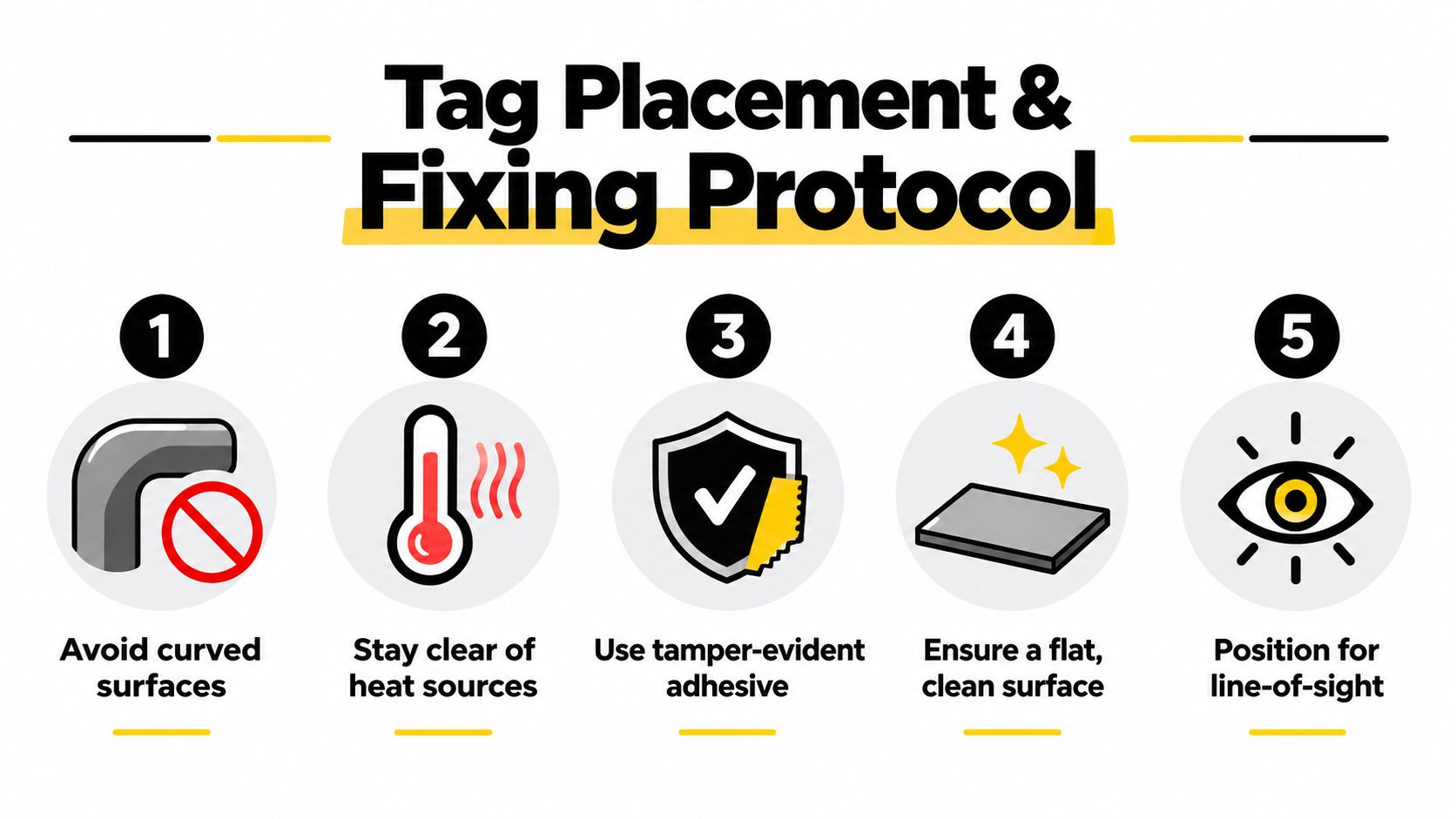
The best location is usually visible, accessible and protected from direct damage. Keep the tag away from edges that catch, surfaces that flex, hot zones, areas exposed to welding or grinding, and points that are routinely dragged across the floor. A QR code on a strongly curved surface can distort as it wraps around the radius, making a good code difficult to scan.
Prepare the surface properly
Adhesive failure usually starts before the label touches the asset. Dust, oil, moisture, loose paint and residue create a weak boundary between the tag and the mounting face.
Use this workshop sequence:
- Choose a flat area: A broad, stable surface gives the adhesive the best chance of making continuous contact.
- Avoid heat exposure: Don't place an adhesive label beside a heat source or on a surface that becomes hot during normal operation.
- Clean with isopropyl alcohol: Wipe the mounting face with isopropyl alcohol and a clean cloth, then allow it to dry.
- Check the coating: Powder-coated, painted and textured surfaces may need a fixing system rated for that finish.
- Apply with firm pressure: Press the tag firmly for 30 seconds, following the practical recommendation in this Australian safety-tag guide.
- Allow the adhesive to develop: Plan for up to 72 hours before treating the bond as fully strengthened, particularly where the asset will be handled or exposed.
Don't stretch a label over a corner or apply it to a surface that is wet, greasy or excessively hot. If the tag must sit on an awkward surface, use a suitable plate, bracket or mechanically fixed solution rather than hoping a standard adhesive will hold.
Pilot the process before production
Bulk production magnifies small mistakes. Test a representative pilot set across the actual asset types and conditions before committing to a full order. Check three things in the field:
- Scan performance: Can the intended phone or scanner read the code quickly from the normal approach?
- Adhesion and protection: Does the tag stay flat and secure after handling, cleaning and routine exposure?
- CMMS linkage: Does the scan open the correct asset record, with the correct serial or asset ID?
Ask the people who will use the tags to perform the test. A label that works for the person holding it in a clean office may be frustrating for a technician wearing gloves, carrying tools or working in poor light.
Train scanners on the replacement process as well. When a label goes missing or becomes unreadable, staff need a clear route to report it, verify the existing ID and install the replacement without creating a duplicate record. The Evright Industrial guidance on asset tagging also highlights pilot checks for scan speed, adhesion and CMMS linkage, alongside replacement rules and user training.
Integrating Tags With Tracking Systems and Maintenance Workflows
The physical tag only delivers value when the scan starts a useful action. A QR code that opens the wrong record, a barcode that requires manual searching or an RFID system that isn't connected to maintenance workflows can leave the organisation with expensive hardware and unreliable data.
A practical rollout begins with the register, not the label printer. Export the fixed-asset register, check the numbering, resolve duplicates and confirm the serial or asset ID for each item. Then work asset-by-asset, applying the label, scanning it into the CMMS and correcting exceptions immediately.
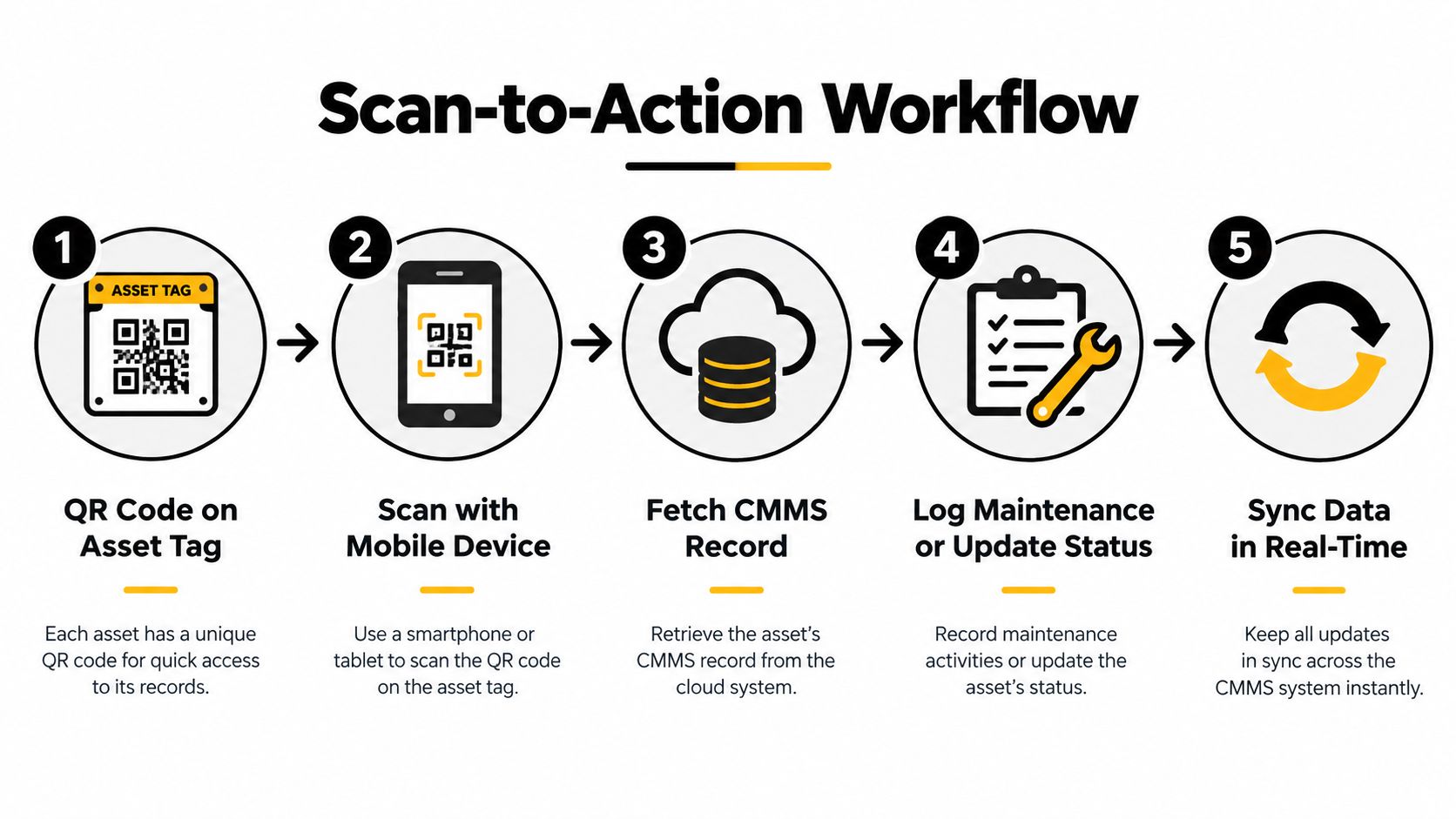
Close the physical and digital loop
A reliable scan-to-action workflow looks like this:
- The technician finds the QR code or barcode on the asset.
- A mobile device reads the code using the approved application.
- The CMMS retrieves the matching record, including identity and current location.
- The technician records the action, such as an inspection, repair, status update or work request.
- The system synchronises the change so the maintenance history reflects what happened to the physical item.
This sequence reduces manual lookups and gives the technician a controlled starting point. It also makes the tag useful during inspections, handovers and audits, because the scan confirms the identity before work is recorded.
Maintenance teams building more advanced workflows can use the tag as the attribution layer for predictive maintenance use cases. Sensor readings, inspection observations and maintenance actions only support sound decisions when they're attached to the correct physical asset.
Govern moves, repairs and retirement
The tag should stay with the asset when it moves. Update the location and custodian in the CMMS, then scan the item at the destination to verify that the record matches the equipment in front of the technician. Don't print a new identity just because the site or department changed.
Repairs need a similar discipline. If the maintainable item remains the same, retain its stable ID and preserve the service history. If a component is replaced, record that change in the maintenance record rather than creating a second asset identity.
Decommissioning requires a final control. Retire the CMMS record according to the organisation's procedure, remove or mark the tag so it cannot be mistaken for active equipment, and never recycle the identifier for another item. The purpose is to preserve historical traceability, including the distinction between an asset that no longer exists and a new asset that has never been used.
Trotec Laser machinery can support the physical side of this process by producing consistent engraved identification on suitable substrates. In practical terms, laser marking can help maintain a repeatable appearance and durable identification across a replacement batch, while the register and CMMS remain responsible for the asset history.
Keeping Your Asset Tagging Program Accurate Over Time
Installation is only the beginning. A tagging programme stays reliable when supervisors treat missing, damaged and incorrect labels as data-quality exceptions that need a defined response, not as minor workshop housekeeping.
The core controls are simple:
- Stable identity: Keep one unique ID with the asset and never recycle it.
- Minimal label payload: Print the ID, a short reference if useful and the scan code.
- Environmental fit: Match the substrate, adhesive and marking method to heat, UV, solvents and handling.
- Controlled placement: Use a flat, clean, visible position away from abrasion and heat.
- System synchronisation: Scan after application and verify the CMMS record.
- Replacement rules: Reproduce the existing ID when a label is missing or unreadable, then confirm the record during replacement.
- Lifecycle closure: Update moves, preserve repair history and retire decommissioned records properly.
The programme is healthy when the technician trusts the tag, the register matches the equipment and the auditor can follow the history without detective work.
Run physical checks as part of normal inspections and audits. Look for peeling edges, faded marks, unreadable codes, tags fixed to the wrong item and records showing obsolete locations. Keep replacement stock or an agreed supply process available, but don't issue a new number because producing a replacement label is inconvenient.
Bring in a specialist when the site conditions, material selection or required marking detail exceed what an internal printer can handle. Evright Industrial combines precision asset labelling with Trotec Laser machinery and can produce durable engraved identification for industrial equipment, essential services, healthcare environments and infrastructure applications. The decision should be based on the environment, the required mark and the governance process that will keep the record accurate after installation.
Evright Industrial can help you define a practical asset tag layout, select materials for Australian heat, UV and chemical exposure, and produce consistent engraved or scan-ready identification for your equipment. Visit Evright Industrial to discuss a tagging programme that keeps the physical asset, replacement label and CMMS record aligned throughout the lifecycle.
Recent Comments