

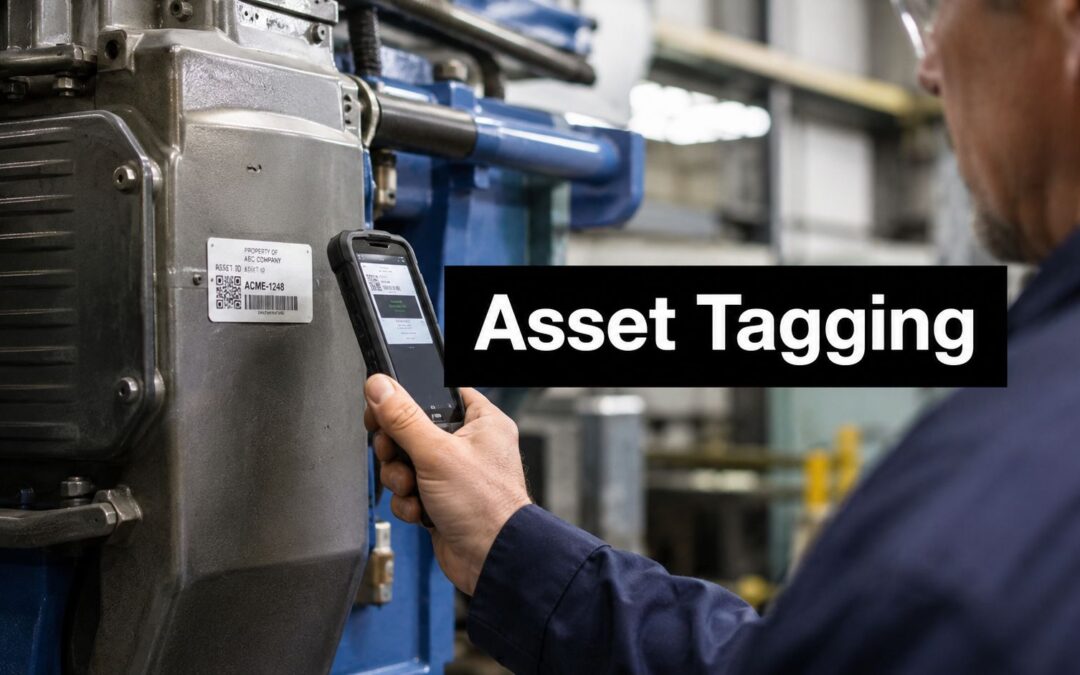
A stocktake rarely fails because a technician can't scan a barcode. It fails because the same pump appears under two IDs, a relocated monitor still carries its old room number, or a label has faded before anyone checks the register. By the time finance, maintenance, and operations compare their records, each team has a different version of the truth.
A durable asset tagging template fixes that problem at the design stage. It gives every asset one stable identity, keeps the physical label readable, and connects the tag to the spreadsheet, CMMS, finance record, governance register, and disposal history. The label is only the visible part. The control is the data model behind it.
Why Most Asset Tagging Templates Fail in the Field
During an annual stocktake, a maintenance team moves through a warehouse with handheld scanners. The first aisle looks straightforward, then the exceptions start. One label won't scan because abrasion has removed part of the code. Two machines have similar serial numbers, another asset appears twice in the spreadsheet, and a relocated item still points to its former site. The team can record what it sees, but it can't confidently reconcile the physical equipment with finance or maintenance records.

The spreadsheet is not the tagging schema
A downloaded template usually starts with asset number, description, and location. That's enough to create a list, but not enough to control an asset throughout its life. Australian government and institutional guidance treats identification as part of a wider record that supports ownership, location, status, accountability, audits, and disposal.
The difference matters in a plant or hospital. Equipment moves between rooms, departments, and sites. A manufacturer's serial number may change format, be duplicated across product lines, or be missing from older equipment. Using it as the primary identifier makes your register dependent on a field you don't control.
Practical rule: Create your own stable asset ID. Treat the serial number as supporting information, not as the identity of the record.
The University of Sydney's asset identification standard requires each asset to receive a unique equipment code and a unique barcode asset identifier, while Victoria's school finance guidance says assets should be tagged as soon as they're created in the asset register and, where appropriate, barcoded, engraved, or stamped with the school name and asset number at the earliest practical date. Those requirements show why asset tagging fundamentals for Australian operations begin with governance, not label artwork.
What generic labels get wrong
The other common error is trying to turn the physical label into a miniature database. Serial number, purchase date, warranty details, service interval, owner, location, and disposal status all get squeezed onto one plate. The result is hard to read, difficult to scan, and expensive to replace when one field changes.
A better model separates the physical label from the asset record. The label carries a stable ID, a scan code, and only the location information that helps a person identify the item. The CMMS or governance register holds the deeper history. For organisations planning equipment retirement or secure disposal, the Reworx Recycling ITAD guide is useful context because tagging must remain connected to the asset's final handover, not stop at installation.
Core Fields for an Australian-Compliant Asset Tagging Template
A reliable register starts with fields that answer four questions: what is the asset, where is it, who controls it, and what has happened to it? Australian information-asset guidance provides a useful structure. The National Archives of Australia recommends an information asset register template with 17 metadata properties, including identifier, name, description, keyword, location, format, status, creation date, update frequency, owner, custodian, rights type, security classification, personal information, risk, business impact, and disposal class. The full structure is available in the National Archives information asset register guidance.

Identification fields
Start with a permanent internal asset ID. Define its format before importing records, and never recycle an ID after disposal. Add the manufacturer, model, serial number, asset class, and registration or finance reference as separate fields. The unique ID belongs on the label and in every connected system.
The register should also include a plain-language asset name and description. “Pressure pump” is less useful than a description that identifies its duty, line, or clinical function. Keep naming rules consistent, because search quality depends on the way people enter data.
Location, ownership, and status
Use a structured location hierarchy rather than one free-text cell. Separate site, building, level, room or zone, and position where those distinctions matter. Record the owner, operational custodian, and responsible department independently. Finance may own the record, maintenance may manage the equipment, and a clinical department may be responsible for daily use.
Status should be controlled through defined values such as active, under maintenance, quarantined, in storage, transferred, or disposed. Controlled values stop technicians from entering variations such as “repair”, “being repaired”, and “out for service”, which fragment reports.
History and compliance
Add acquisition or creation date, purchase reference, warranty information, risk, business impact, security classification where relevant, inspection history, maintenance status, and disposal class. NSW and Queensland government templates also show the value of richer fields such as manufacturer, model, serial number, purchase date, insured value, disposal method, and depreciation.
The physical label should remain restrained. Use the asset ID, site or location code where it helps, and a barcode or QR code linked to the record. Store maintenance history, ownership, serial number, and disposal information in the system. This keeps field verification quick while preserving an audit-ready record.
Customising and Printing Your Asset Tags
The best asset tagging template is the one your team can populate consistently and print without manual correction. Start with a controlled master file in Excel or CSV, then connect each column to a label field. Don't let technicians type directly into a print layout. Clean the data first, validate the ID sequence, and lock the columns that define the schema.

Select the fields before selecting the format
Use four passes:
Choose the record fields. Keep asset ID, description, site, location, custodian, status, serial number, and system reference in the master file. Decide which values are mandatory and which may remain blank at creation.
Choose the on-label fields. Most operations need only the asset ID, a short location or site code, and a scan code. A label that carries every register field becomes crowded and quickly becomes wrong after a relocation or maintenance change.
Generate the code from the stable ID. Code 128 suits many linear barcode workflows where the ID is short and scanners are already configured for that format. QR codes can hold a web address or record reference and may be useful where workers scan with mobile devices. The code should resolve to the asset record, not encode a long block of changing information.
Test the output. Print a sample at the intended size, scan it at different angles, and check it against the CMMS record. Test under the actual lighting and access conditions, not only on a clean office desk.
Use Trotec Laser machines for permanent output
For equipment exposed to abrasion, solvents, heat, moisture, or repeated cleaning, laser marking can provide a precise and repeatable result. Trotec Laser machines can engrave or mark selected substrates with consistent asset IDs, barcodes, logos, and safety information. Use the machine's material settings and a sample coupon to confirm contrast, readability, and edge quality before approving a batch.
Keep the source data controlled. Store the final print file with the batch date, ID range, material, and approval record. If one item is reprinted, mark it as a replacement in the register rather than creating a second asset record. Trotec Laser imagery should show the laser marking process and finished tag, not unrelated mechanical equipment or generic YouTube content.
Choosing Materials and Fixing Methods for Industrial Durability
Material selection starts with the environment, not the catalogue photograph. A clean indoor office, a humid production floor, an outdoor substation, and a healthcare treatment area impose different demands on the tag. Consider abrasion, chemicals, UV exposure, washdown, temperature, cleaning agents, access, and whether the surface can accept a hole or mechanical fastener.
Australian infrastructure specifications make the practical standard clear. Australian Rail Track Corporation requirements call for permanently affixed external labels that are readable with normal eyesight from 600 mm, with identification including manufacturer, year and month of manufacture, serial number, and model or version number. Snowy Hydro requires labels to be permanently fixed to or immediately adjacent to equipment and visible from the normal access position. Where a permanent adjacent structure exists, that location is to be used, and mechanical fixing is required. Gluing or double-sided tape is prohibited unless specially approved. See the ARTC equipment labelling specification and Snowy Hydro asset identification requirements.
Label Material and Fixing Comparison
| Material | Best Environment | Outdoor Durability | Fixing Method |
|---|---|---|---|
| Anodised aluminium | Plant equipment, electrical cabinets, controlled outdoor service areas | Good when the marking and finish suit the exposure | Screws, rivets, or approved industrial adhesive |
| Stainless steel | Harsh industrial areas, infrastructure, high-abrasion locations | Strong choice for demanding exposure | Mechanical fixing, normally screws or rivets |
| Industrial polyester | Indoor equipment, offices, stores, and moderate cleaning conditions | Application-dependent | Industrial adhesive on a clean, prepared surface |
| Vinyl | Temporary identification, indoor zones, and short-term operational labels | Application-dependent | Adhesive backing |
| Engraved plastic laminate | Indoor panels, rooms, cabinets, and controlled service areas | Application-dependent | Adhesive or mechanical fixing, based on surface and access |
An Australian industrial-label supplier describes industrial tags as suitable for equipment management, warehouse and logistics tracking, tool identification, maintenance and inspection tagging, and safety or warning signage. One manufacturer states that its industrial tags are built for industrial environments with a minimum outdoor durability of 5 years, so confirm the supplier's stated performance against your actual exposure rather than treating all labels as equivalent. A practical asset tracking label selection guide can help you define the brief before ordering.
Connecting Tags to Governance Registers and Maintenance Workflows
A physical tag becomes valuable when every scan leads to one authoritative record. The stable asset ID should be the shared key across the spreadsheet import, CMMS, finance system, governance register, and physical label. Location, owner, and maintenance status can change. The identifier should not.
Assign ownership for every update
Register decay usually begins after installation. A technician moves equipment but doesn't update the location. Finance disposes of an item but the CMMS still schedules maintenance. A department changes custodians and nobody changes the record. Prevent this by assigning responsibility for each event.
The asset owner should approve changes to identity and lifecycle status. The custodian should confirm location and operational use. Maintenance should update work orders, service history, condition, and return-to-service status. A register administrator should resolve duplicates, rejected values, and unmatched records.
A tag doesn't create accountability. A named person, a defined event, and a required system update do.
Use a location hierarchy that mirrors the physical organisation. A scan should identify the site and asset, while the system retains the detailed room, zone, or position. For relocations, record the effective date and previous location rather than overwriting history. For disposals, retain the ID and close the record with disposal method and authorisation.

Australian information-asset templates show why this matters beyond physical stocktake. Healthcare and government organisations may need to track information classification, personal information, risk, business impact, custodianship, and disposal alongside operational assets. A medical device, controlled piece of equipment, or infrastructure asset can therefore belong in both a physical register and an information governance model. When off-the-shelf systems don't share the required fields, teams may need to integrate systems with Osher or configure a controlled workflow rather than maintain disconnected copies.
For operations teams assessing RFID asset tracking, the same rule applies. RFID can change how an item is captured, but it doesn't replace a stable ID, clear ownership, location logic, or lifecycle controls.
Industry-Specific Tagging Examples
A manufacturing plant usually needs a tag that survives contact with production. Heat, oils, cleaning chemicals, vibration, and abrasion can defeat ordinary labels, especially around pumps, conveyors, tooling, and switchboards. The register might include the asset ID, manufacturer, model, serial number, line, area, custodian, criticality, maintenance status, and isolation reference. On the label, keep the information short. Use a high-contrast asset ID and scan code, then place the tag where a technician can reach it without entering a hazardous position.
Healthcare adds a second layer of control. A device may move between wards, treatment rooms, stores, and loan pools while its service history and compliance information remain active. The tag should identify the device without printing sensitive operational data. A register can hold location hierarchy, custodian, clinical department, manufacturer, model, serial number, status, inspection history, warranty information, risk, and disposal classification. If the device is connected to information governance requirements, link the physical asset record to the relevant governance register rather than adding confidential details to the label.
Electrical contractors and essential-service providers need visibility in locations that are often confined, dirty, or exposed to weather. Switchboards, control panels, substations, pumps, and infrastructure equipment need external identification that remains readable from the normal access position. The ARTC requirements provide a useful benchmark for including manufacturer, manufacture month and year, serial number, and model or version number, with additional fields where the equipment requires them.
For outdoor or high-abrasion assets, choose metal or another substrate proven for the exposure and use mechanical fixing where the governing specification requires it. For indoor cabinets or controlled rooms, an adhesive-backed industrial label may be practical if the surface is prepared correctly and the tag can be inspected. In every sector, the layout should separate the stable identity from changing maintenance and location data.
Deployment Checklist and Next Steps
A rollout is ready when the data and the physical installation agree. Before printing, validate mandatory fields, remove duplicate IDs, test barcode or QR resolution, and confirm that each code points to the correct system record. Approve the material, dimensions, contrast, and fixing method against the site conditions.
During installation:
- Prepare surfaces: Remove oil, dust, moisture, and loose coatings before applying an adhesive label.
- Verify placement: Install the tag where workers can see and scan it from a normal access position.
- Check fixing: Confirm every screw, rivet, or approved adhesive bond, especially on vibrating or outdoor equipment.
- Reconcile immediately: Compare installed IDs with the register before the crew leaves the area.
- Train users: Show technicians how to scan, relocate, report damage, and close maintenance updates.
After deployment, schedule inspections, record replacements, and investigate every missing or unreadable tag. Evright Industrial provides precision engraving, equipment marking, data plates, and durable asset labelling, using Trotec Laser technology for consistent identification across industrial applications. The team can help convert a controlled asset tagging template into physical labels suited to manufacturing, healthcare, electrical, and infrastructure environments.
For a durable asset tagging rollout, Evright Industrial can help produce precision-engraved labels, data plates, equipment markings, and machine-readable tags matched to your materials, fixing requirements, and register design. Contact the team to turn your approved asset schema into site-ready identification that technicians can scan, auditors can trace, and operations teams can maintain.
Recent Comments