
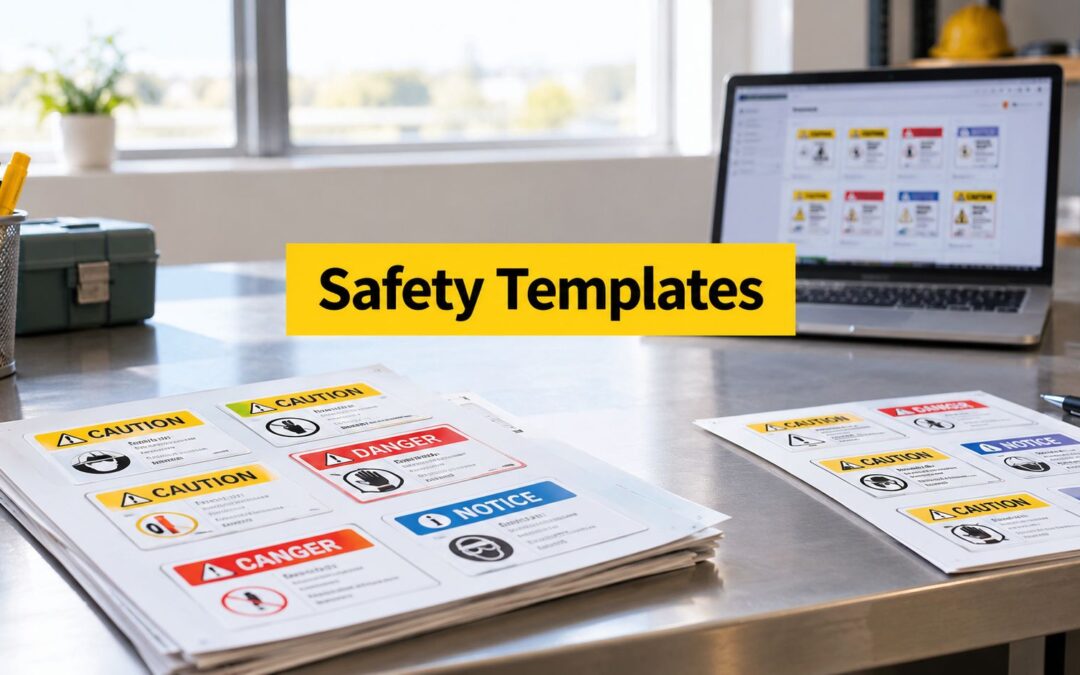
A supervisor approves a new sign on screen, then sees it installed beside a noisy production line. The wording is technically correct, but the lettering disappears at the intended viewing distance. The colour convention is wrong for the message, the substrate reflects too much light, or the adhesive fails on a dusty surface. A clear-looking safety signage template can still become an ineffective sign when production and installation conditions aren't considered.
The resources below cover downloadable A4 references, self-serve editors, proof-led services, and industrial template ecosystems for workplace, healthcare, electrical, manufacturing, and general facility needs. Each one is assessed by the job it can realistically handle, from a temporary internal notice to a repeatable multi-site signage system.
Evright Industrial, part of evright.com, works with clients to turn approved artwork into durable asset labels and safety signage. Its production workflow uses precision laser engraving, with Trotec Laser machine imagery rather than mechanical-process or YouTube visuals. For a separate example of custom adhesive graphics, see these custom car decals.
1. Seton Australia
Seton Australia is a strong starting point when the requirement is familiar, regulated workplace signage rather than an experimental visual system. Its catalogue covers common WHS and OHS applications, while the online custom sign builder lets users select sign sizes, materials, symbols, and wording without building artwork from a blank page. That combination suits facilities managers who need a replacement sign quickly or a consistent set of standard messages.
The useful part isn't only the product range. Seton provides reference material that helps non-designers think about format and sizing, and its product information discusses conformance with AS 1319:1994. In Australia, WorkSafe ACT's signage guidance identifies AS 1319 as the Australian Standard for safety signs in work environments. It covers signs used to regulate behaviour, warn about hazards, and provide emergency information.
Where Seton works best
Use Seton when the sign belongs to a recognised category and the site team values a guided ordering process. Its ready-made templates are practical for danger, warning, mandatory, prohibition, and emergency or safe-condition applications. The national production and shipping model also helps when a site needs a straightforward replacement rather than a bespoke design programme.
The trade-off is catalogue complexity. A large selection can slow down decisions for niche requirements, and some guidance may be tied to Brady artwork. If a business mixes suppliers, check that symbols, colours, typography, and layout conventions still look coherent across the site.
For a controlled custom signage workflow, compare the Evright Industrial safety signage service, particularly when the final sign needs durable engraved identification.
2. Brady Australia and Brady Workstation
Brady Australia is better suited to organisations that want an industrial template ecosystem rather than occasional online editing. Brady Workstation and Custom Designer provide prebuilt sign and label layouts, symbol libraries, and tools for creating repeatable artwork. The same environment can support facility safety signs, machine labels, asset identification, and other visual controls that need to remain consistent.
That consistency matters when several people create or update signs. A shared library of approved layouts can reduce uncontrolled variations in headers, symbols, wording, and positioning. Brady also offers custom manufacturing in Australian materials and sizes, so the team can design in-house and still use a production service when the substrate or finish is more demanding.
The production advantage
Brady is a sensible choice for engineering, maintenance, and EHS teams that expect recurring label work. Its catalogues and guides address machine and facility safety, while the broad material range supports different exposure conditions. This is more structured than a basic browser editor, but the software learning curve is real. Casual users may need internal rules for file naming, approval, revision control, and who can release artwork.
The service experience can also vary by project and user. Treat the software and the manufacturing service as separate decisions, then confirm who owns the final proof and how revisions will be recorded.
Practical rule: A shared template library only creates consistency when someone controls the approved master artwork.
For organisations developing a repeatable sign family, the Evright Industrial signage design workflow offers another route from approved pictogram and wording to production-ready artwork.
3. Australian Safety Signs
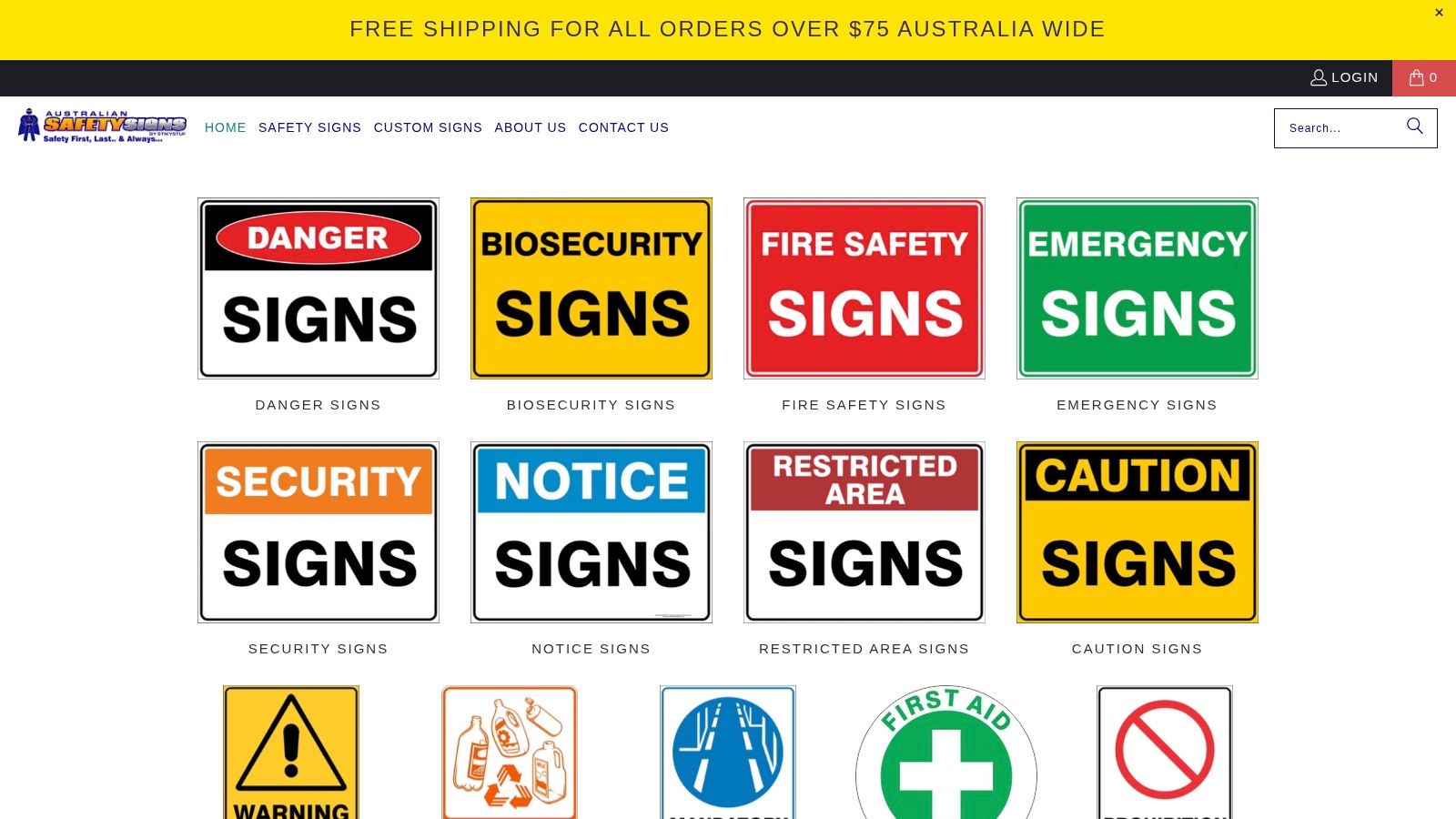
Australian Safety Signs keeps the customisation path simple. Start with a template, edit the text, upload a logo or custom image, select a size, and order the finished sign in a durable material. That flow is useful for a warehouse notice, a restricted-access message, or a site-specific instruction where the main creative decision is the wording rather than the visual system.
The template library includes familiar danger, warning, mandatory, emergency, and general categories. Local production and shipping within Australia make the resource practical for teams that need a direct supplier relationship. The option to request unusual sizes is also valuable when a standard panel won't fit a gate, plant enclosure, service corridor, or existing mounting frame.
The editor's limits
This isn't a replacement for desktop publishing software. Font control, colour management, and advanced brand rules are more limited than in a dedicated design package. That limitation is helpful for speed, but it can frustrate teams trying to build a complex multi-panel sign or a carefully governed corporate system.
Use the editor for controlled substitutions, not uncontrolled redesign. Confirm that the selected category matches the actual message, then check the finished proof for legibility, symbol meaning, mounting orientation, and the surface where it will be installed.
4. National Safety Signs
National Safety Signs is built around the quick journey from template to checkout. Its Queensland manufacturing base and Australia-wide delivery suit one-off orders, urgent replacements, and local teams that want support from a specialist producer. The online “Design Safety Signs” area provides category-specific starting points, including emergency sign customisers for rapid wording changes.
The useful distinction is between a simple sign and a complex layout. A standard emergency direction sign, warning panel, or instruction notice can move efficiently through the tool. A sign requiring several panels, unusual hierarchy, detailed branding, or coordinated references may need manually prepared artwork and direct discussion with the supplier.
Match the tool to the format
National Safety Signs offers reflective and other substrate options, so material selection can follow the installation environment rather than the convenience of the editor. Consider whether the sign will face sunlight, moisture, cleaning chemicals, abrasion, vehicle movement, or low-light conditions. A template that looks right on a monitor still needs a surface and finish that preserve contrast in service.
Its main weakness is bespoke complexity. The tool focuses on common formats, which is an advantage for routine jobs but a constraint for engineered signage systems. Ask for a proof when the sign affects traffic movement, emergency direction, electrical access, or hazardous areas.
5. Vivid Ads
Vivid Ads is useful when the requirement is a fast, clean notice for a facility rather than a tightly controlled permanent workplace sign. Its online editor provides free editable templates across categories including Pool & Water Safety, and users can add logos or other brand assets before ordering large-format prints.
The workflow is accessible to teams without a designer. It makes sense for amenity messaging, visitor instructions, pool-area notices, temporary operational communications, and other ancillary signs where the message needs to be produced quickly. The editor also supports a direct path from layout to production and delivery.
Don't confuse a template with compliance
Vivid Ads' templates are generic starting points. They shouldn't be treated as automatic evidence that a regulated sign meets Australian requirements. The UNSW signage guideline requires signage to align with AS 1319, the Building Code of Australia, WHS Regulation 2011, and the Australian Dangerous Goods Code, while also calling for a consistent presentation standard.
That distinction is central to choosing an online sign maker. Use Vivid Ads for general facility communication or a temporary visual reference, then validate the category, colours, shape, symbols, wording, and installation requirements before using the result as permanent regulated signage.
6. Premier Workplace Solutions
Premier Workplace Solutions, trading through Think Workplace Safety, takes a category-led approach to custom signage. Its “Design Your Own” pages focus on core sign types such as prohibition, danger, and mandatory signs. Inline text fields make it quick to substitute site-specific wording while retaining the expected visual structure.
That focused workflow is useful for a safety coordinator who needs a small batch of standard messages. It reduces the temptation to move elements around only because the editor allows it. For common industrial applications, predictable headers, colours, and symbols are more valuable than decorative flexibility.
A good fit for text changes
The service works best when the sign needs a message update, not a new visual concept. You can choose an industrial substrate suited to the environment, then order a sign that follows the selected category. That makes it practical for restricted-area instructions, PPE reminders, and site-specific prohibitions.
The limitation is advanced layout control. Complex multi-element designs, detailed diagrams, or signs requiring several coordinated information blocks may exceed the editor's purpose. Prepare the content before ordering, especially where a short instruction must remain readable from the intended approach path.
A final proof should check more than spelling. Confirm the pictogram, category, contrast, sign orientation, and whether the selected material will remain legible after cleaning, weathering, or contact with equipment.
7. Sign Maker Online
Sign Maker Online is a lightweight option for fast, house-style safety signs. Its prebuilt DANGER, CAUTION, NOTICE, and WARNING templates provide a visual starting point, while the browser editor lets users add text, upload a logo, select images, configure a size, and see pricing without installing software.
This is the sort of resource that works well for an ad-hoc order or a small internal project. A facilities team can produce a sign for a temporary work zone, service area, storage room, or local operating instruction without opening a full design application. The live configuration keeps the process direct.
Speed comes with responsibility
The editor's simplicity is also its main constraint. It provides less guidance on AS 1319 specifics than a specialist safety-sign supplier, so the user must validate whether the chosen header and message are appropriate. A sign that looks professional can still communicate the wrong level of hazard or use an unsuitable category.
Use Sign Maker Online for straightforward layouts where the sign owner can perform a proper compliance and installation review. For custom safety signs that require more deliberate artwork control, compare the Evright Industrial custom safety signs service. The important step is not merely ordering the printed panel. It is recording the approved version that should be reproduced later.
8. Area Safe
Area Safe takes a proof-led route instead of a live self-serve editor. Customers select a template and provide configurable details through a request form, then a designer prepares a proof before production. That extra human review suits organisations where a supervisor, safety manager, property team, or procurement officer needs to approve the final artwork.
The process includes one free amendment before production. That makes the service less immediate than a browser tool, but the slower exchange can prevent avoidable errors in wording, symbol selection, site identification, and layout. It also creates a clearer approval point for records.
When proofing matters most
Area Safe is a sensible fit for larger orders and repeatable procurement workflows. A team can circulate the proof internally, resolve comments, and release one approved version rather than relying on an operator to make a final visual judgement during checkout. Australia-wide shipping supports distributed site requirements, although there isn't live on-page pricing and a quote turnaround is required.
This model works especially well when several stakeholders must agree on a sign before it reaches production. It is less attractive for a single urgent replacement where the wording is already established and speed matters more than review depth.
A proof should be treated as a controlled approval document, not just a preview of the colours.
9. HSH Prints
HSH Prints provides downloadable A4 safety sign templates in PDF form. The files are useful when a team needs an immediate paper notice, an internal mock-up, a tender-pack visual, or a reference for specifying a more durable engraved sign later.
The Australian-format emphasis and AS 1319-style shapes and colours make the library a practical visual aid. It can help a project team discuss hierarchy and message wording before committing to a material, size, or production method. For a temporary indoor posting, an A4 print may be entirely adequate if the site owner has assessed the communication need and installation conditions.
Paper is not a permanent substrate
A printable template shouldn't be mistaken for a finished industrial sign. Paper can curl, tear, fade, detach, or become unreadable when exposed to moisture, abrasion, cleaning, sunlight, or machinery movement. Permanent installations need the final specification checked against the applicable Standard and the site's environmental demands.
Use HSH Prints at the planning stage. Test the wording and pictogram with the people who will use the area, then send the approved concept to a producer that can recommend a durable substrate and finish. The template is valuable because it removes the blank-page problem, not because it solves every production decision.
10. Signsmart
Signsmart is aimed at businesses that need a catalogue plus a production relationship. The Melbourne-based manufacturer offers ready-made designs across mandatory signage, dangerous goods, Hazchem and EIP, traffic, and related categories, while also supporting bespoke signs through in-house design and production.
That combination is valuable for multi-site operations. A business can establish a house set of approved templates, then request consistent production for different facilities. The approach is more controlled than asking each site to edit its own sign independently, particularly when the artwork needs coordinated colours, symbols, location identifiers, and revision records.
Industrial standardisation over instant editing
Signsmart isn't centred on a browser-based live editor for complex layouts. Custom work is quote-driven, and bespoke template development may require procurement lead time. That's a disadvantage when someone needs a single sign immediately, but it can be an advantage when the project needs deliberate artwork development and a repeatable manufacturing process.
Hazardous chemical sites should also distinguish ordinary workplace signage from specific placarding and information duties. Safe Work Australia's guidance on hazardous chemical records and signs explains that workplaces storing, handling, or using hazardous chemicals must maintain a register and use signs or placards to communicate dangers, with manifests applying for larger quantities. The relevant trigger is the site's chemical and quantity profile, not merely the availability of a generic safety signage template.
Top 10 Safety Signage Template Comparison
| Provider | Core features | Quality (★) | Price/value (💰) | Target audience (👥) | Unique selling points (✨/🏆) |
|---|---|---|---|---|---|
| Seton Australia | Large WHS template library, online custom sign builder | ★★★★ | 💰💰 Template-priced, nationwide | 👥 Facilities & HSE officers | ✨ AS1319 guidance & templates, 🏆 extensive catalogue |
| Brady Australia | Desktop Brady Workstation + manufacturing, symbol libraries | ★★★★★ | 💰💰💰 Enterprise / licence + manufacture | 👥 Industrial sites, safety teams, designers | ✨ Robust template ecosystem, 🏆 industrial consistency |
| Australian Safety Signs | Editable templates, online editor, local production | ★★★★ | 💰💰 Mid-cost custom signs | 👥 Small-medium businesses & site managers | ✨ Easy template edits & custom sizes, good for quick customs |
| National Safety Signs | Design-your-own tool, emergency templates, reflective options | ★★★★ | 💰💰 Local manufacturer pricing | 👥 One-off buyers & regional businesses | ✨ Fast checkout for one-offs, 🏆 local in-house manufacture |
| Vivid Ads | Free editable templates, 24-hr turnaround, large-format | ★★★ | 💰 Low-cost, fast | 👥 Event teams, amenities, quick-need signage | ✨ Very fast production, good for non-regulated comms |
| Premier Workplace Solutions | Sign-class pages, inline text fields, industrial substrates | ★★★★ | 💰💰 Industry-priced, quick | 👥 Site managers needing standard signs | ✨ Maintains header/colour conventions for compliance |
| Sign Maker Online | Lightweight web editor, header-based templates, live pricing | ★★★ | 💰 Low-cost, ad-hoc runs | 👥 Small-run customers, ad-hoc orders | ✨ No-install editor, fast small-batch prints |
| Area Safe | Form-based builder, designer proof & one free amendment | ★★★★ | 💰💰 Quote-based / procurement-friendly | 👥 Large orders, procurement & multi-site projects | ✨ Human proofing for consistency, 🏆 proof workflow |
| HSH Prints | Free A4 PDF templates aligned to AS 1319 visuals | ★★ | 💰 Free (paper) | 👥 Planners, tender packs, temporary notices | ✨ Zero-cost mock-ups, quick visual references |
| Signsmart | Extensive catalogue, in-house design & production, high-volume | ★★★★★ | 💰💰💰 Quote-driven for volume | 👥 Nationwide rollouts, high-volume procurement | ✨ Standardise house templates, 🏆 rapid local manufacture |
Turn a Template Into a Sign That Works on Site
A template is a production starting point, not a compliance decision. The most useful selection sequence is practical and repeatable.
First, classify the message. Decide whether the sign communicates danger, warning, a mandatory action, a prohibition, an emergency or safe condition, hazardous chemical information, traffic control, or a general facility instruction. AS 1319 provides the main purpose-based structure for Australian workplace signs, including danger, warning, mandatory, prohibition, and emergency or safe-condition categories. The classification determines the visual convention before anyone chooses a font or uploads a logo.
Second, confirm the requirements that apply to the site. Workplaces may need to consider AS 1319 alongside the Building Code of Australia, WHS Regulation 2011, the Australian Dangerous Goods Code, fire protection requirements, electrical obligations, or hazardous chemical controls. A generic editor can't determine whether a site has crossed a placarding or manifest trigger. That decision belongs with the responsible safety and operational team.
Third, test the actual message. Remove unnecessary words, use an understandable pictogram, and check the finished layout from the distance and angle where people will read it. A sign beside a machine, gate, road, loading area, or emergency route needs a different practical treatment from a notice viewed at arm's length.
Choose the resource by the job
- Temporary references: Use downloadable A4 templates for internal mock-ups, tender documents, and short-term communications.
- Simple one-offs: Use an online editor when the sign follows a standard format and only the wording, logo, size, or image needs changing.
- Proof-led orders: Choose a supplier with human artwork review when several stakeholders must approve the result.
- Industrial programmes: Use a managed template ecosystem for repeated production, multiple facilities, hazardous areas, or controlled revisions.
Material selection comes next. Consider moisture, sunlight, chemicals, abrasion, cleaning routines, heat, visibility, mounting method, and whether reflective performance is necessary. Printed paper may suit a temporary indoor notice, while equipment identification and permanent industrial signage generally need a more durable substrate and finish.
Evright Industrial, the industrial division of evright.com, works with clients to develop customized engraving and asset-labelling solutions. Its workflow can support approved pictograms, wording, colour, shape, and revision control before production, while precision laser processes create durable signage and identification for manufacturing, essential services, healthcare, and infrastructure environments. Production imagery should show Trotec Laser machines, not mechanical equipment, and this workflow doesn't require embedded YouTube videos.
Obtain the proof before production. Check the category, wording, pictogram, colour, dimensions, substrate, finish, hole positions, mounting method, and revision identifier. Then keep the approved artwork with the site's signage records so replacements match the original rather than becoming another one-off interpretation.
Evright Industrial can help turn an approved safety signage template into durable laser-engraved signage, equipment identification, and asset labels suited to demanding Australian environments. Visit Evright Industrial to discuss your wording, pictograms, materials, proofing requirements, and repeat-production needs.
Recent Comments